
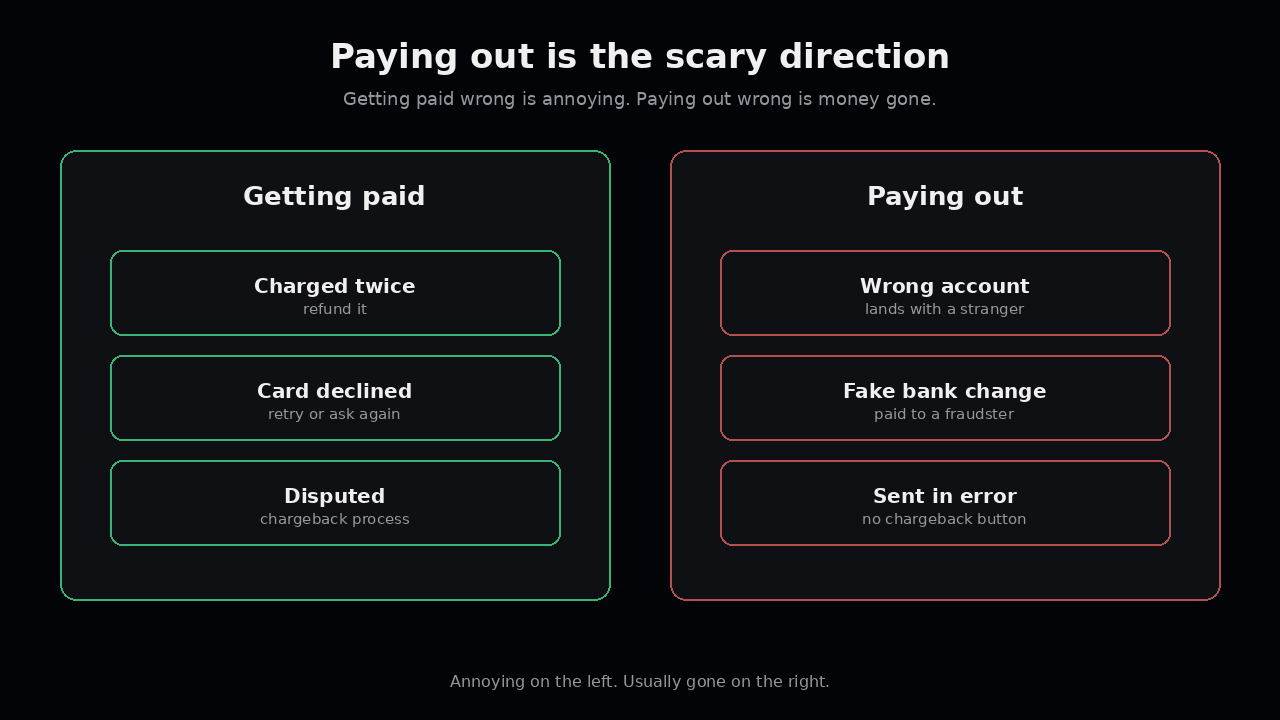
Most payment work is about getting paid. Take the card, collect the debit, match the deposit. When it goes wrong, it’s annoying. A customer gets charged twice, you refund them, everyone moves on.
Paying out is different. Contractors, vendors, sellers on your platform, refunds sent by bank transfer. When a payout goes wrong, the money is usually just gone. There’s no chargeback button for the payer.
So it’s strange that most teams build payouts as an afterthought. A CSV, a bank portal, someone with the login. It works until the day it really doesn’t.
The account number is a guess until you check it
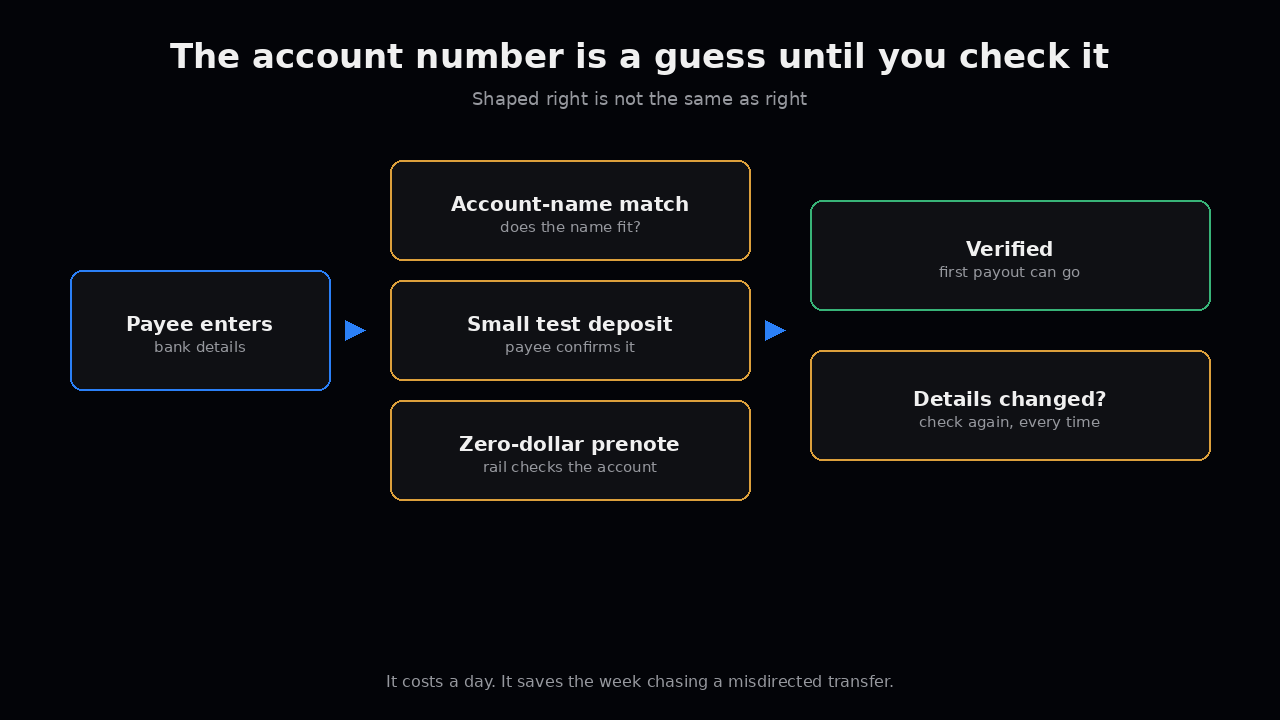
When someone types in their bank details, you don’t know they’re right. You know they’re shaped right.
A wrong digit doesn’t always fail. Sometimes the payment bounces back days later. Sometimes it lands in a real account that belongs to someone else, and now you’re asking a stranger’s bank for a favour.
Check before the first payout. Depending on the rail, that’s an account-name match, a small test deposit the payee confirms, or a zero-dollar prenote. It costs a day. It saves the week you’d spend chasing a misdirected transfer.
And check again whenever the details change. Not just the first time.
The person who adds a payee shouldn’t approve the payment
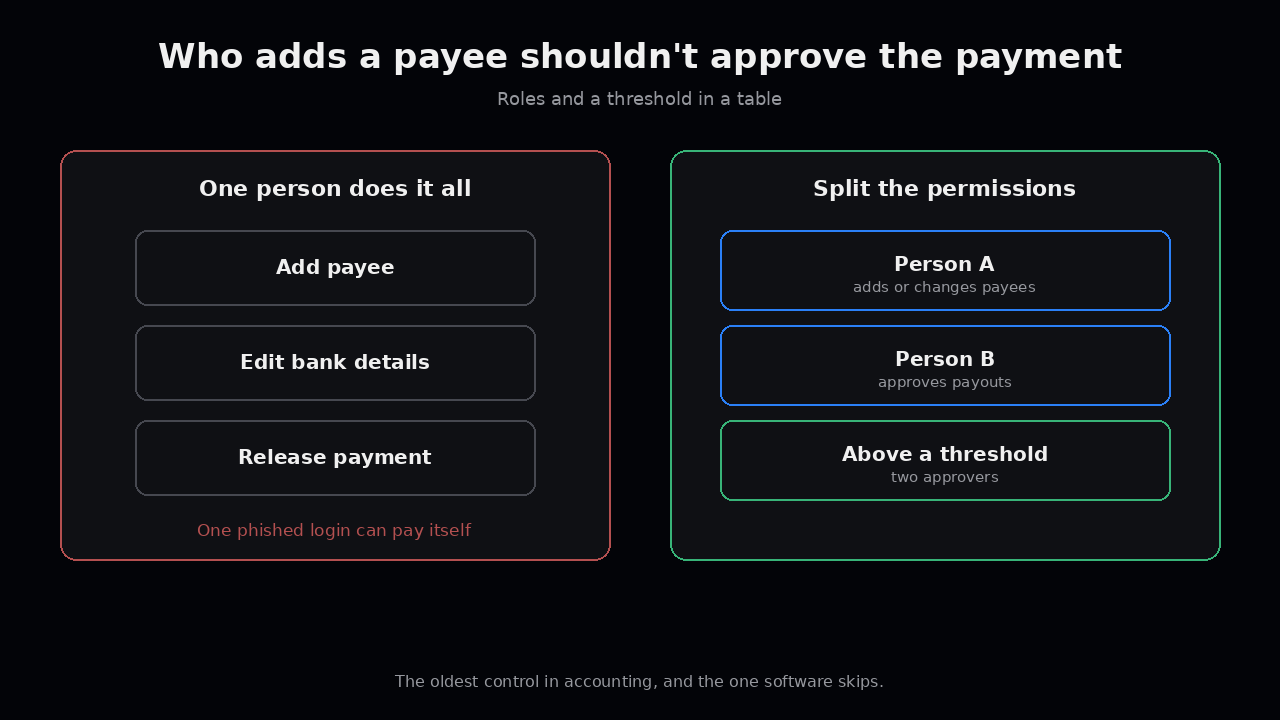
This is the oldest control in accounting, and it’s skipped all the time in software.
If one person can add a new payee, edit their bank details, and release the payment, then one person can pay themselves. Or one phished login can.
Split it. Adding or changing a payee is one permission. Approving a payout is another. Above some amount, it takes two people. None of this is clever. It’s just roles and a threshold in a table.
Never trust a “we changed banks” email
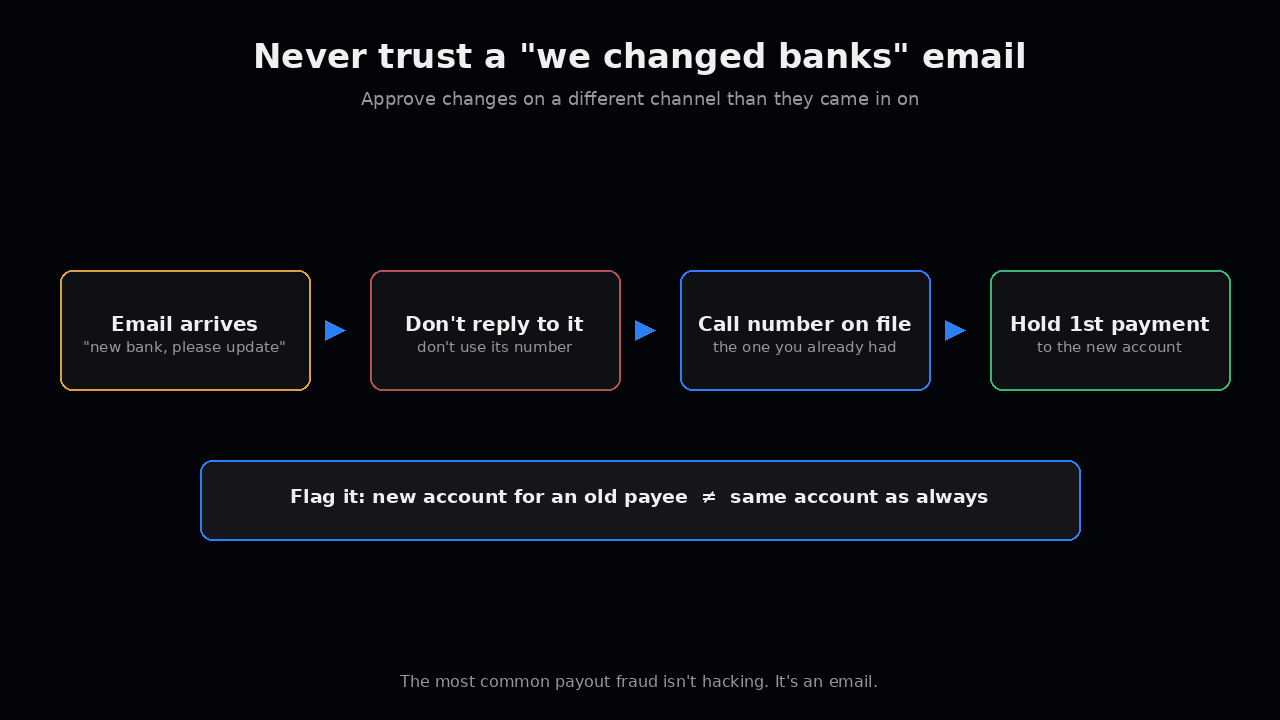
The most common payout fraud we hear about isn’t hacking. It’s an email.
A vendor you’ve paid for years writes in. New bank, please update our details before the next invoice. The email looks right. Sometimes it really is from their mailbox, because their mailbox got taken over.
The rule is simple. Bank detail changes never get approved from the same channel they came in on. Call the number you already had on file, not the one in the email. Then hold the first payment to the new account for review.
If your system can’t tell “new account for an old payee” apart from “same account as always,” it can’t help you here. That flag is worth building.
Know what happens after you press send
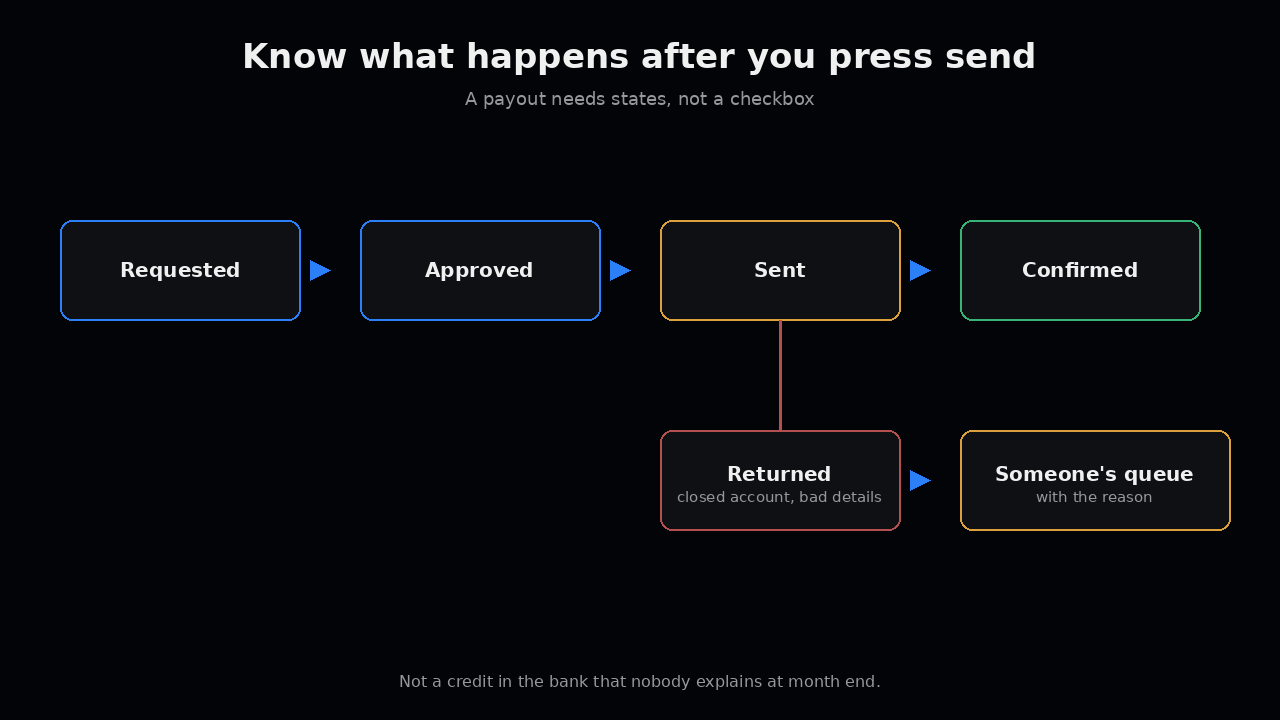
Payouts have cutoff times and return windows, same as collections. A transfer sent after cutoff goes tomorrow. A transfer to a closed account can come back days later.
So a payout needs states, not a checkbox. Requested, approved, sent, confirmed, returned. A returned payout should land back in someone’s queue with the reason, not quietly sit as a credit in the bank account that nobody explains at month end.
The small test
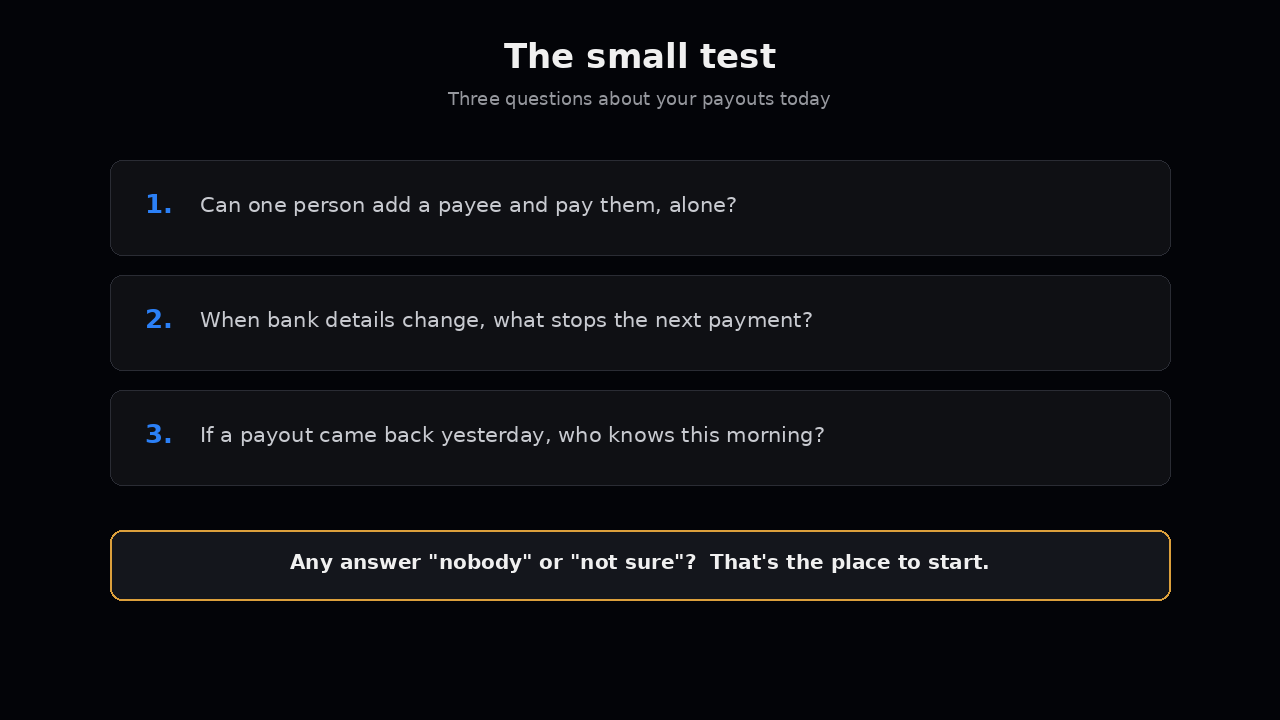
Ask three questions about your payouts today.
- Can one person add a payee and pay them, with nobody else involved?
- When bank details change, what stops the next payment until someone checks?
- If a payout came back yesterday, who would know this morning?
If any answer is “nobody” or “I’m not sure,” that’s the place to start. It’s usually a small build, and it’s the kind you’re glad you did before you needed it.
Futurify builds the software around your payouts: the payee checks, the approvals, the states, and the alerts. We don’t hold funds. The money moves through your bank and your processor. If you want to talk it through, email us at hello@futurify.io.